![MT White Logo _ PNG-01.png]](https://help.medicaltracker.co.uk/hs-fs/hubfs/MT%20White%20Logo%20_%20PNG-01.png?height=31&name=MT%20White%20Logo%20_%20PNG-01.png)
If you've created a medication use record for the wrong medication, you won't be able to edit the name of the medication. This is to ensure there's a clear audit trail, particularly for controlled medications.
Instead, you'll need to delete the incorrect record, and add a new one. Deleting the record will reset any stock tracking to the previous level.
How to delete a medication use record
From the summary page, click More options > Remove.
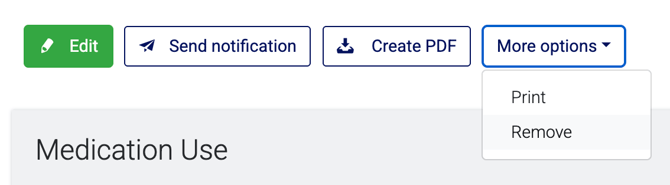
To delete a medication use, you must either be a super user or belong to a team with the Delete medication use permission enabled. If you do not see the option to delete a record, it's likely you do not have the appropriate permission level.
Example
Let's say you give a child paracetamol for a headache. You create a medication use record for 2 tablets from the school supply of paracetamol. There were 12 tablets remaining before you administered it, and now there are 10 tablets left.
After you've saved the record, you wish to amend it as you realise you have actually taken it from the child's own supply of paracetamol, provided by their parent and not the school's stock.
You will need to:
- Delete the first medication use. This will reset the stock level back to 12 tablets of the school supply of paracetamol in stock.
- Record a new medication use against the correct medication.