![MT White Logo _ PNG-01.png]](https://help.medicaltracker.co.uk/hs-fs/hubfs/MT%20White%20Logo%20_%20PNG-01.png?height=31&name=MT%20White%20Logo%20_%20PNG-01.png)
To turn off the security feature for the 20-minute log out.
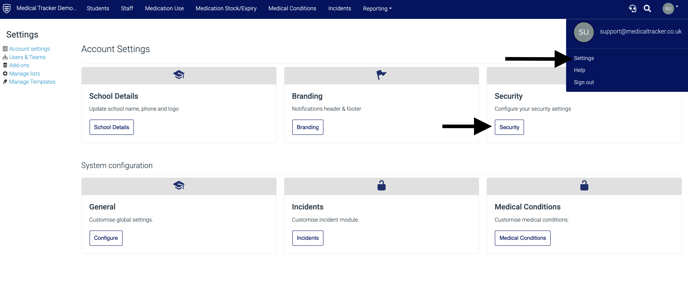
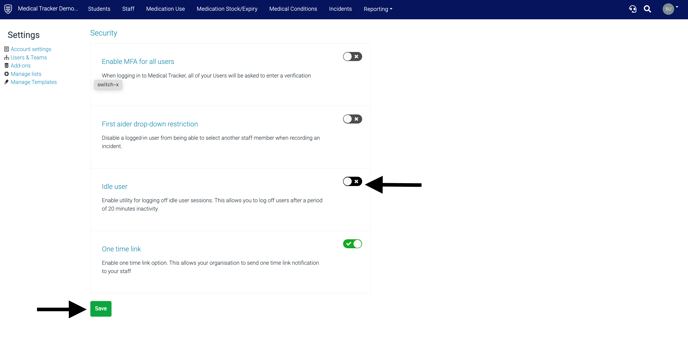
Go to settings, security, toggle on the "idle user" function and click save.
You will also see a countdown pop-up before it reaches the 20-minute mark. 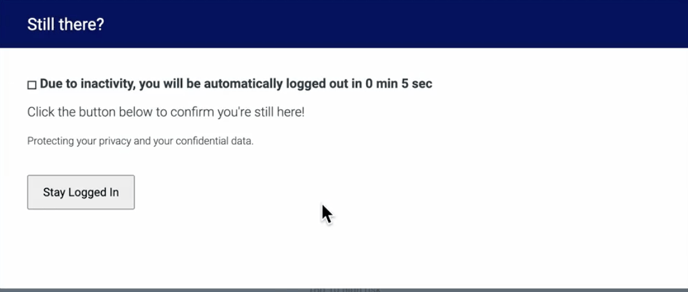
If you select stay logged in you will remain logged in.