- Login to your Medical Tracker account
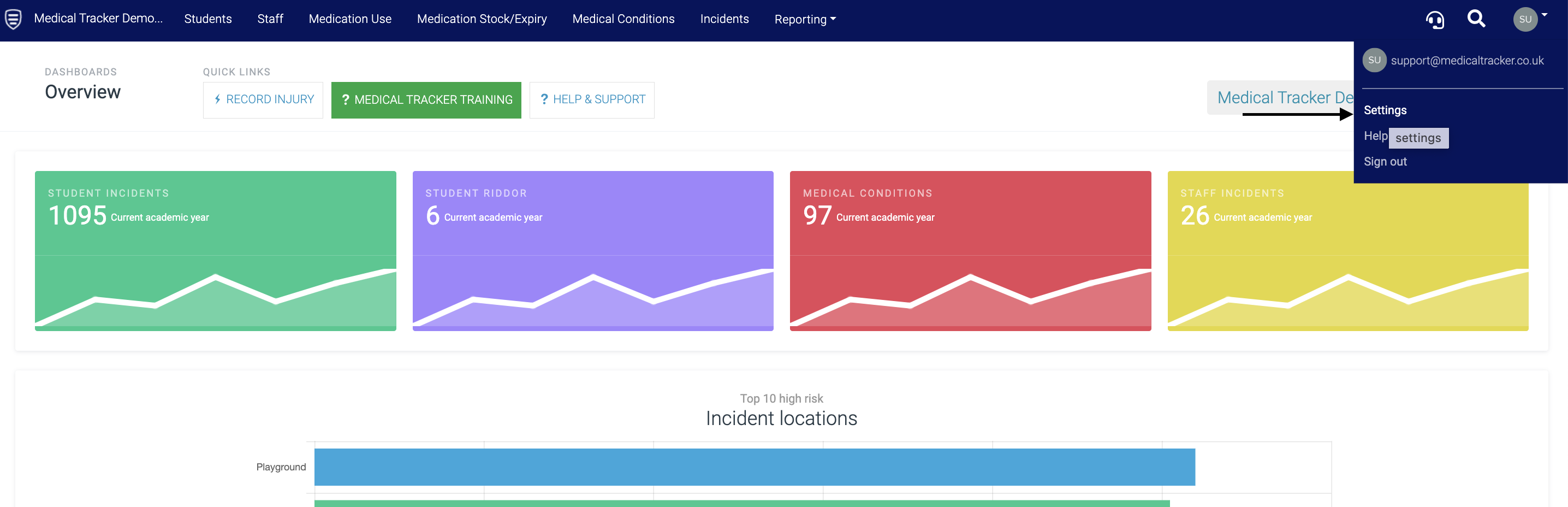
- Click on your user menu
- Click on Settings
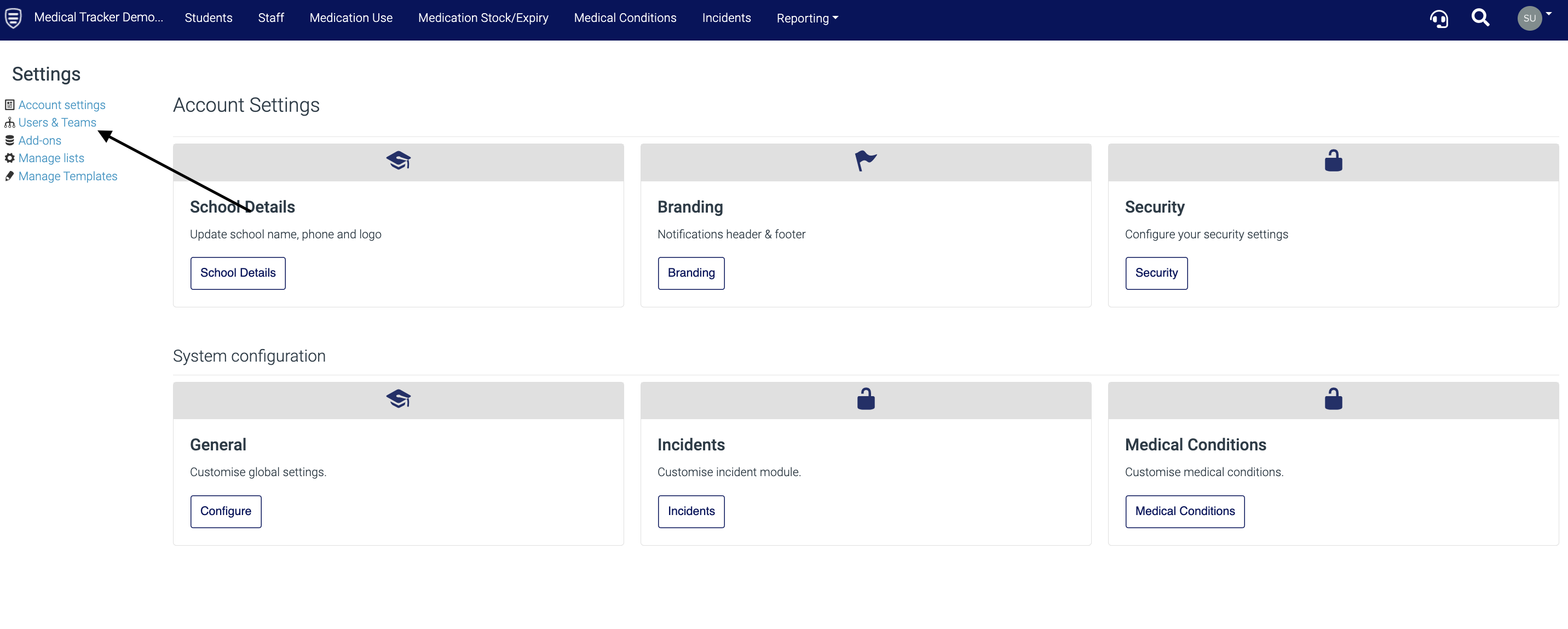
- Go to Users & Teams
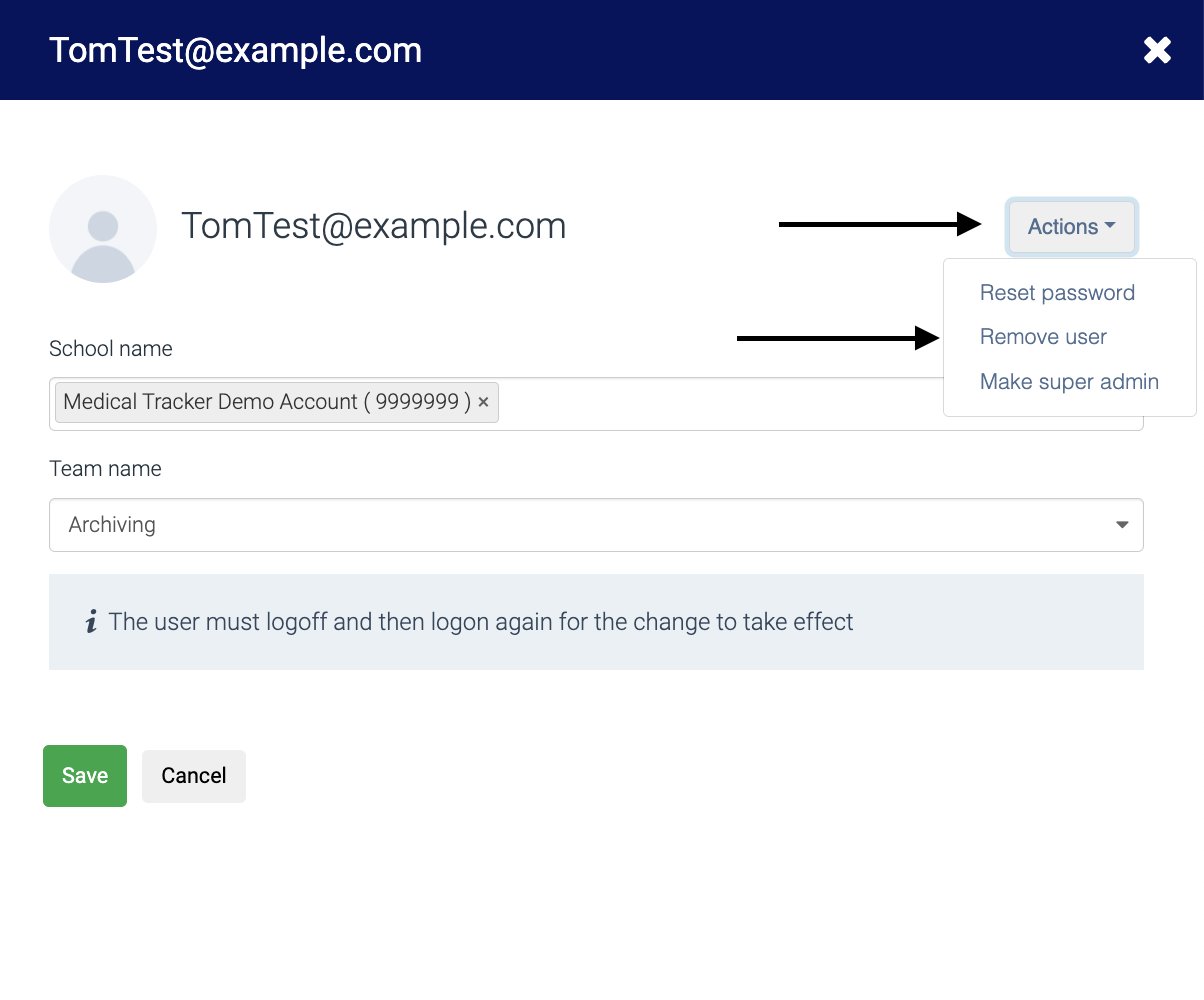
Click on the user you would like to remove, then select 'Remove user' (no need to click Save):
![MT White Logo _ PNG-01.png]](https://help.medicaltracker.co.uk/hs-fs/hubfs/MT%20White%20Logo%20_%20PNG-01.png?height=31&name=MT%20White%20Logo%20_%20PNG-01.png)
Click on the user you would like to remove, then select 'Remove user' (no need to click Save):