![MT White Logo _ PNG-01.png]](https://help.medicaltracker.co.uk/hs-fs/hubfs/MT%20White%20Logo%20_%20PNG-01.png?height=31&name=MT%20White%20Logo%20_%20PNG-01.png)
How will the integration with CPOMS work?
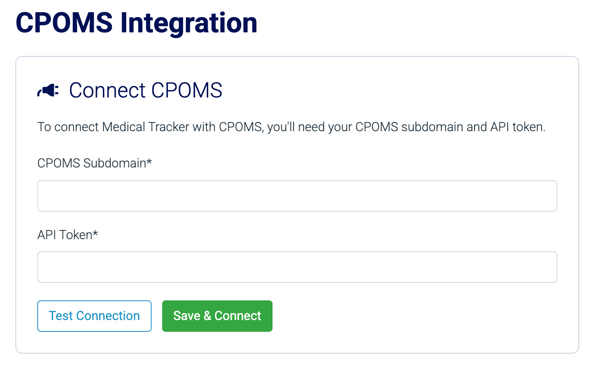
We’re building a direct integration that allows incident information to flow straight from Medical Tracker into CPOMS. You'll be able to manage it yourself in a couple of clicks on a new Integrations page within our settings.
Which users will be able to send Medical Tracker incidents to CPOMS?
Once an administrator at your school has set up the integration, any user with permission to record incidents on Medical Tracker will see the option to send an incident across to CPOMS.
How do you decide which incidents to send to CPOMS?
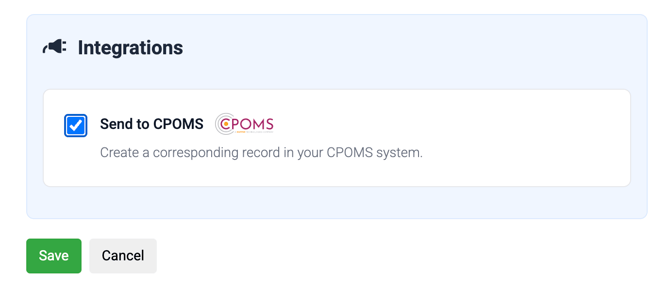
We've built this in a way that allows every school to use this feature in the way that makes sense for them. This means that every incident form will include the option to send the incident across to CPOMS, and every user with permission to create incidents can do it.
There are no automatic rules; simply check the box at the bottom of the incident form, then save.
What happens next?
The incident will be saved on Medical Tracker as usual. Once this is done, we'll then send a copy of the incident across to CPOMS, usually within a second or two. If the UPN we have for the student matches a student's record in CPOMS it will be automatically assigned to that child. If not, it will go into your CPOMS in-tray.
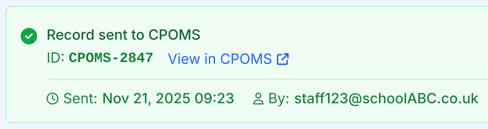
You'll see a confirmation message, and the incident summary page will have a direct link to the record that has just been created in CPOMS.
When will this be available?
We're starting to pilot this integration in late February, with plans to roll it out more widely over the following months.