![MT White Logo _ PNG-01.png]](https://help.medicaltracker.co.uk/hs-fs/hubfs/MT%20White%20Logo%20_%20PNG-01.png?height=31&name=MT%20White%20Logo%20_%20PNG-01.png)
Firstly Please head to Settings > Ad ons > Wonde.
Please ensure you have an active connection with Wonde which will be displayed like so: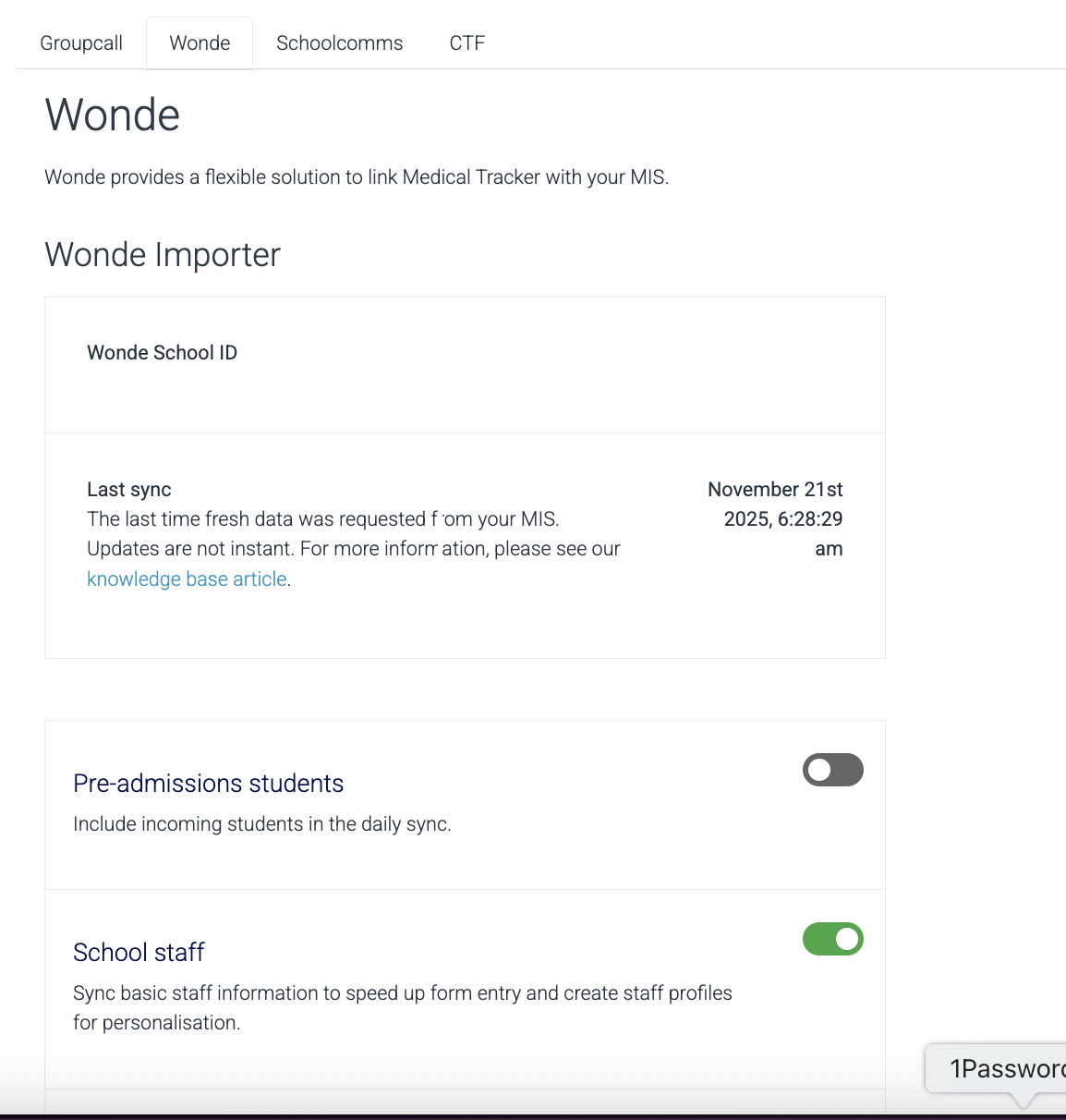
Please see Wonde's guidance on how to achieve this.
1. Log into your Wonde portal account by heading to school.wonde.com/login and
following the instructions.
2. Once you are logged in, locate and select the application you want to update (This will be your school)
3. Select the Access Control tab.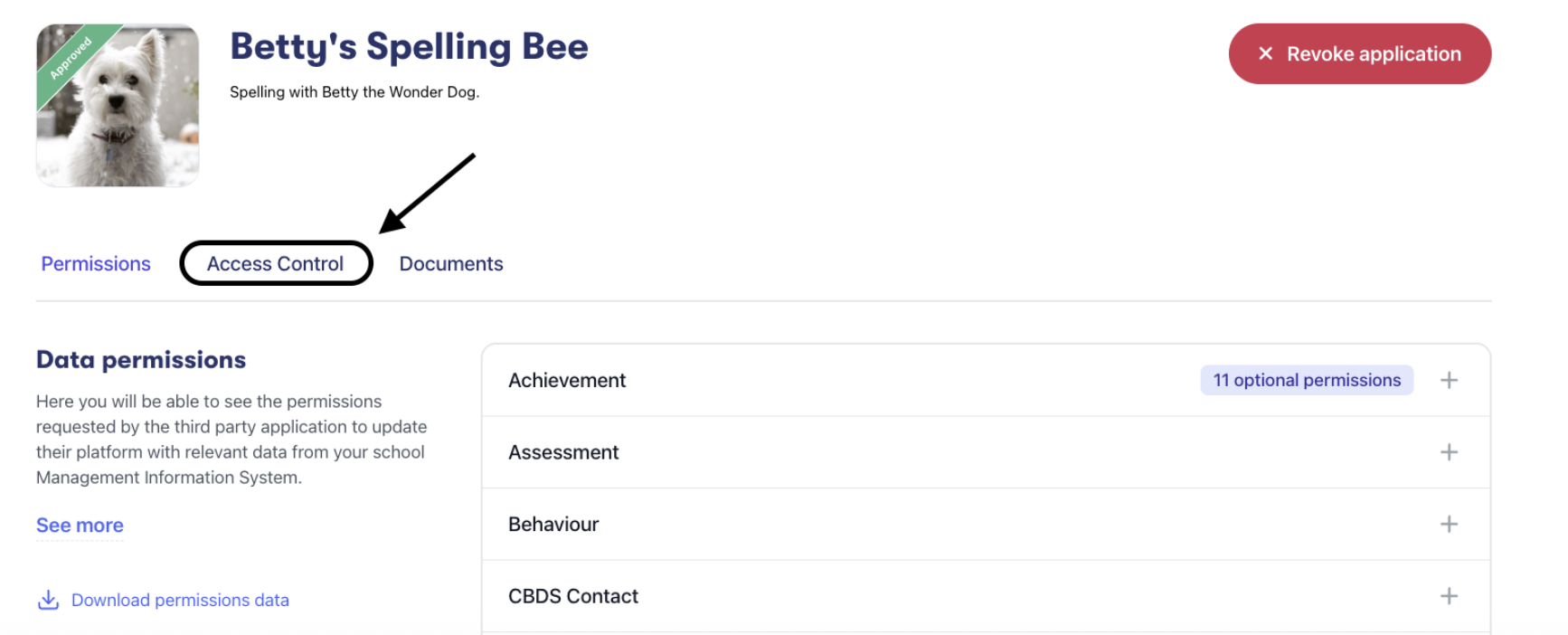
4. Select ‘Update settings’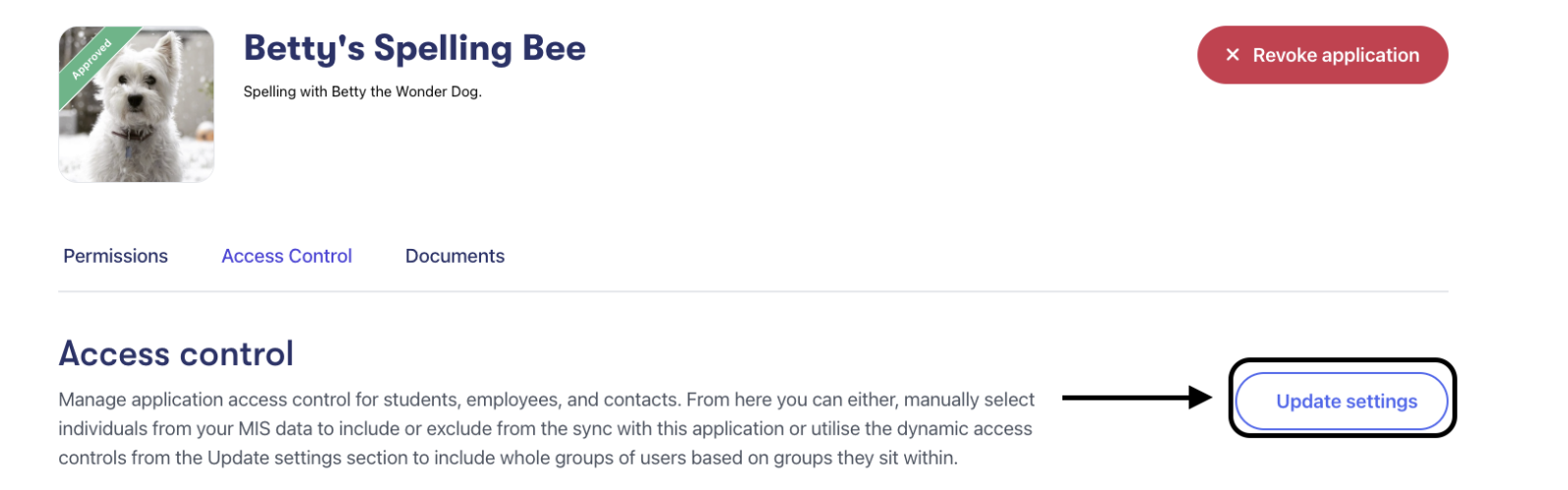
5. Select your access control option and select ‘Update access settings.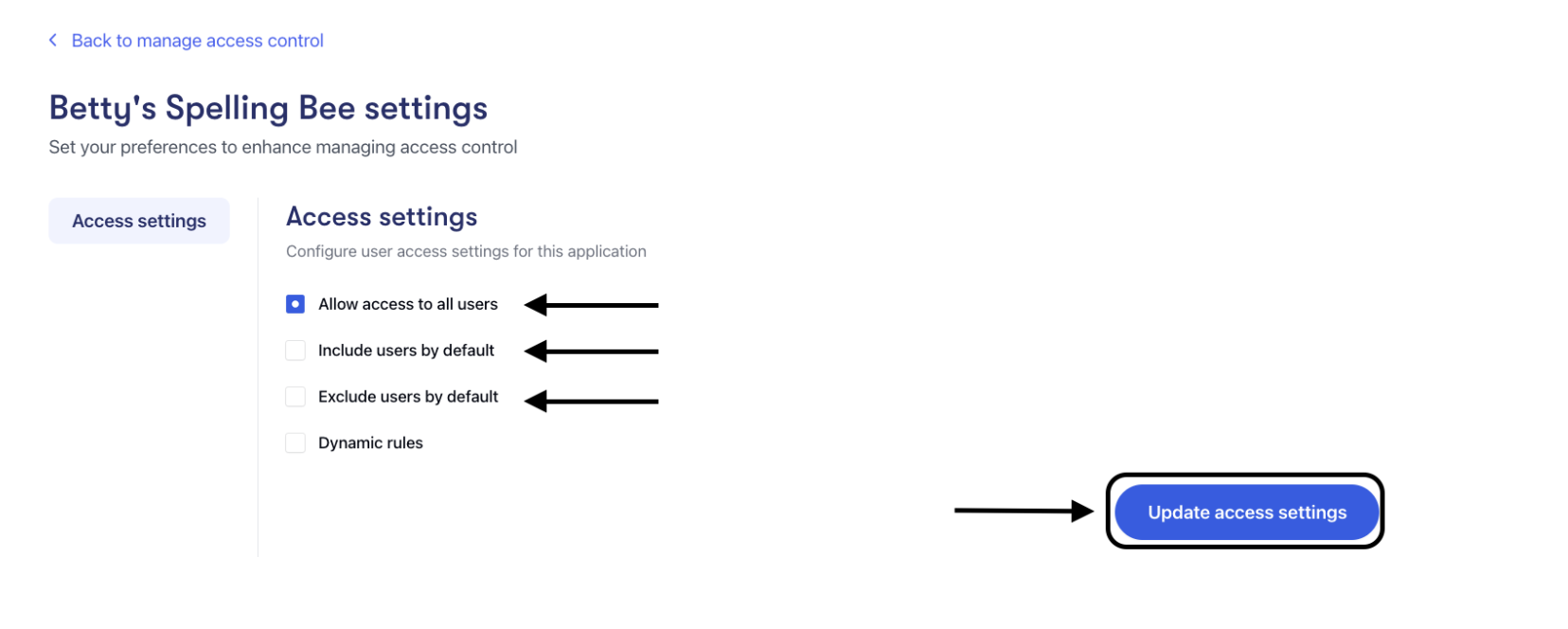
6. Once you have updated the access settings, it will take you back to the access control page. Depending on the option you have selected, you will now see a list of your users. The ‘Access’ Column will show the status as ‘Included’ or ‘Excluded’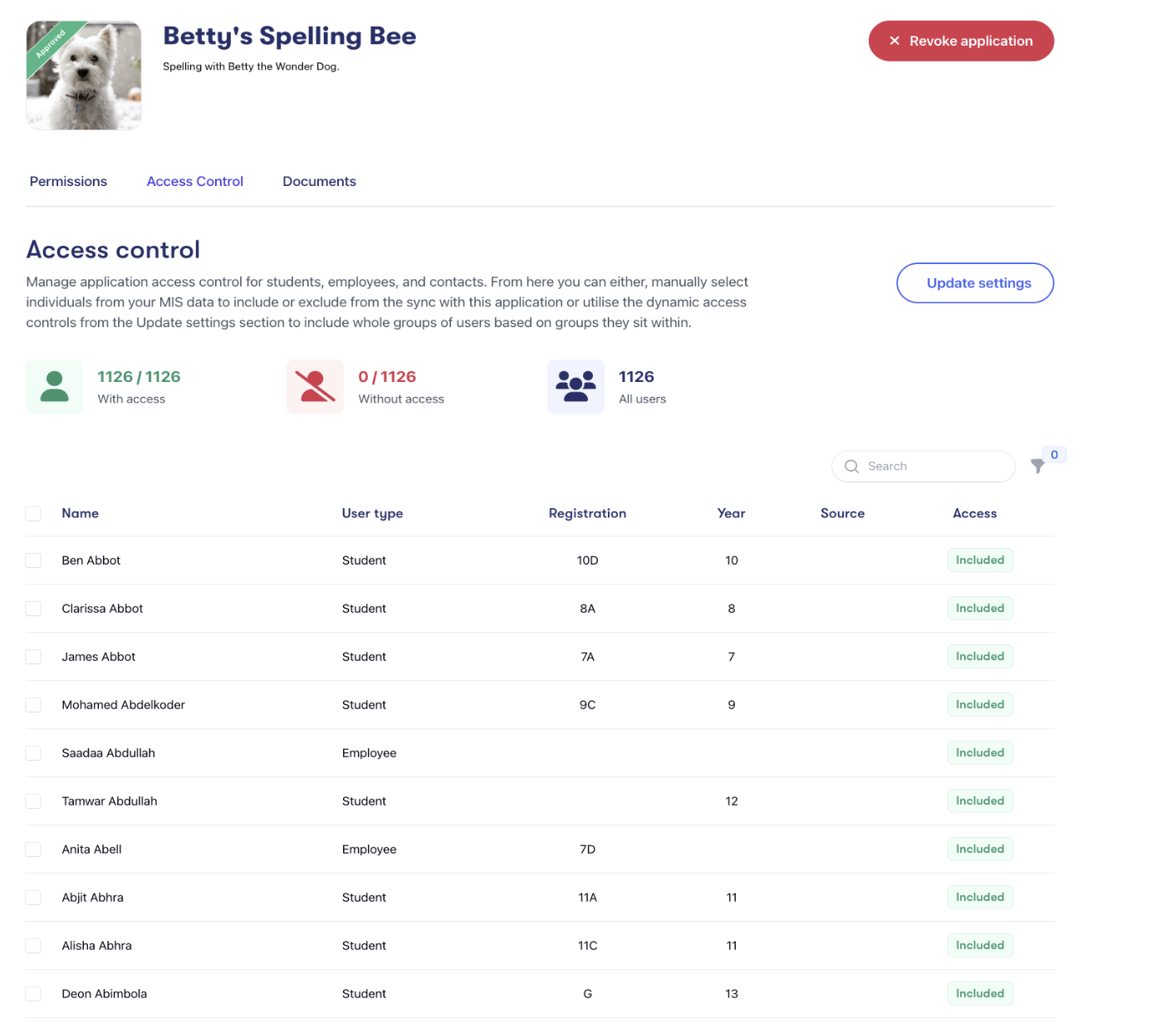
7. If you have selected the ‘include users by default’ option, it will show all users that are included, and you will be able to select users to exclude. If you have opted for the ‘exclude users by default’, it will show all users that are excluded, and you will be able to select users to include.
8. You will then be able to select the users you want to include/exclude from the application.
9. You can use the search filter to locate a user by name, or the filters for registration groups, classes or year groups.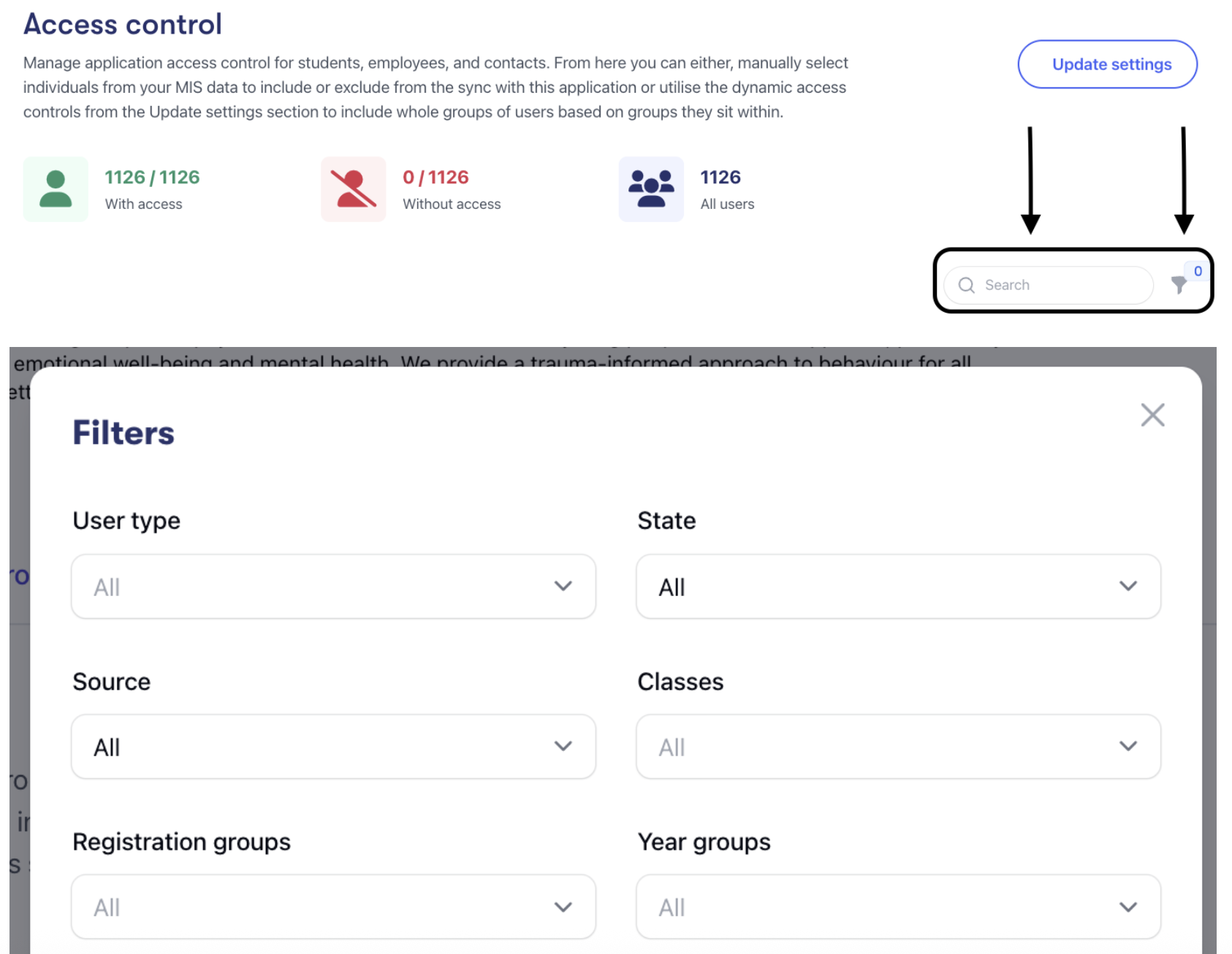
10. You will then be able to go through the list and tick the users you want to include/exclude. (The tick box next to ‘Name’ will select the whole page. You can then select the option ‘select all 0000’ to auto-select all pages).
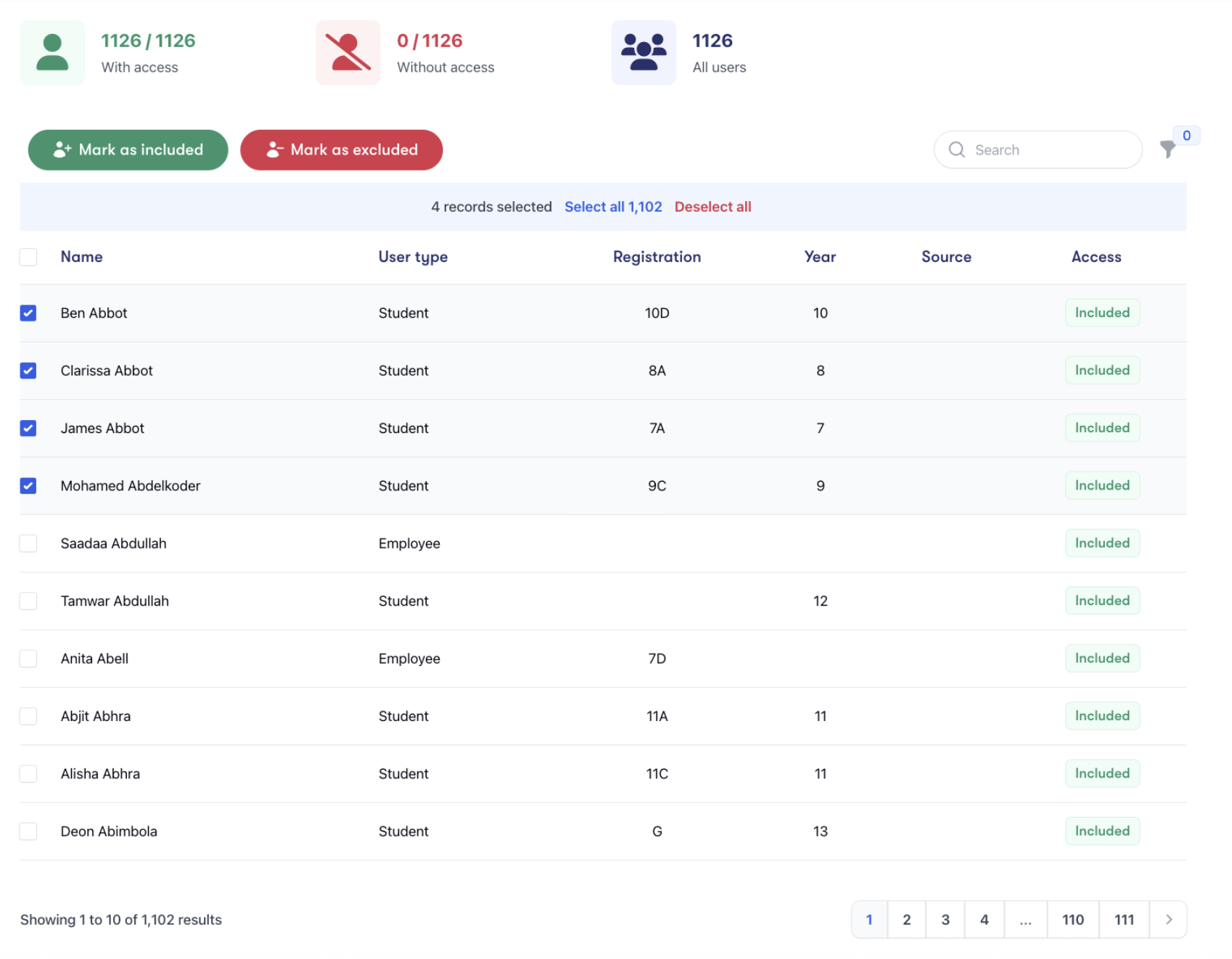
11. Once you have selected the users you want to allow/block, select the ‘Mark as excluded’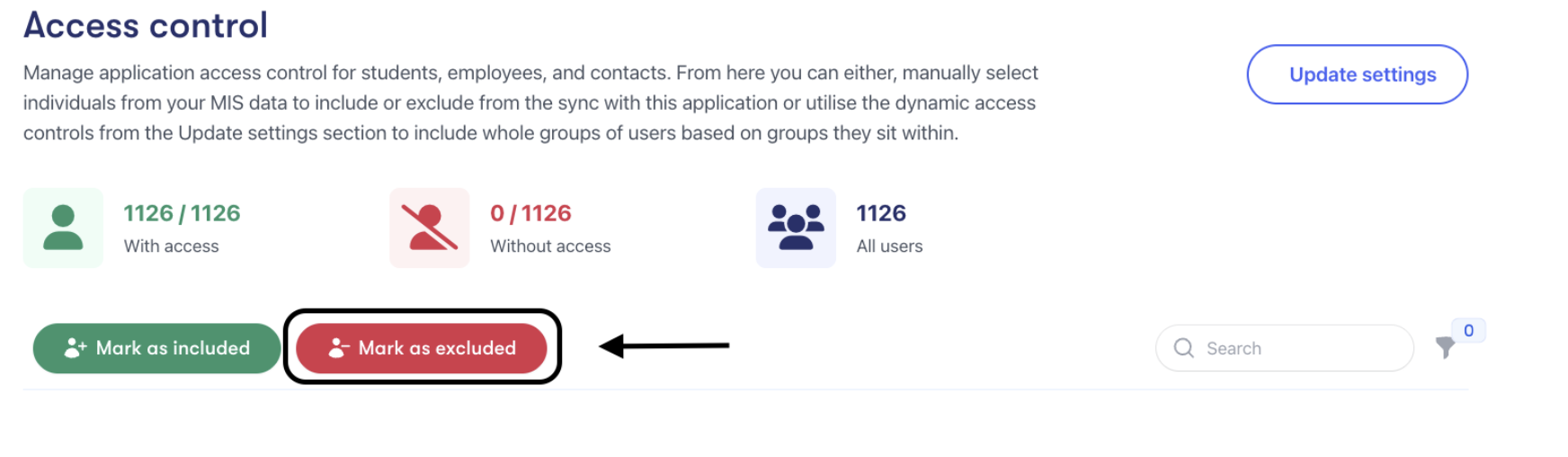
12. Once saved, you will be able to see a tally of the included/excluded users. This can be changed and updated as often as required. 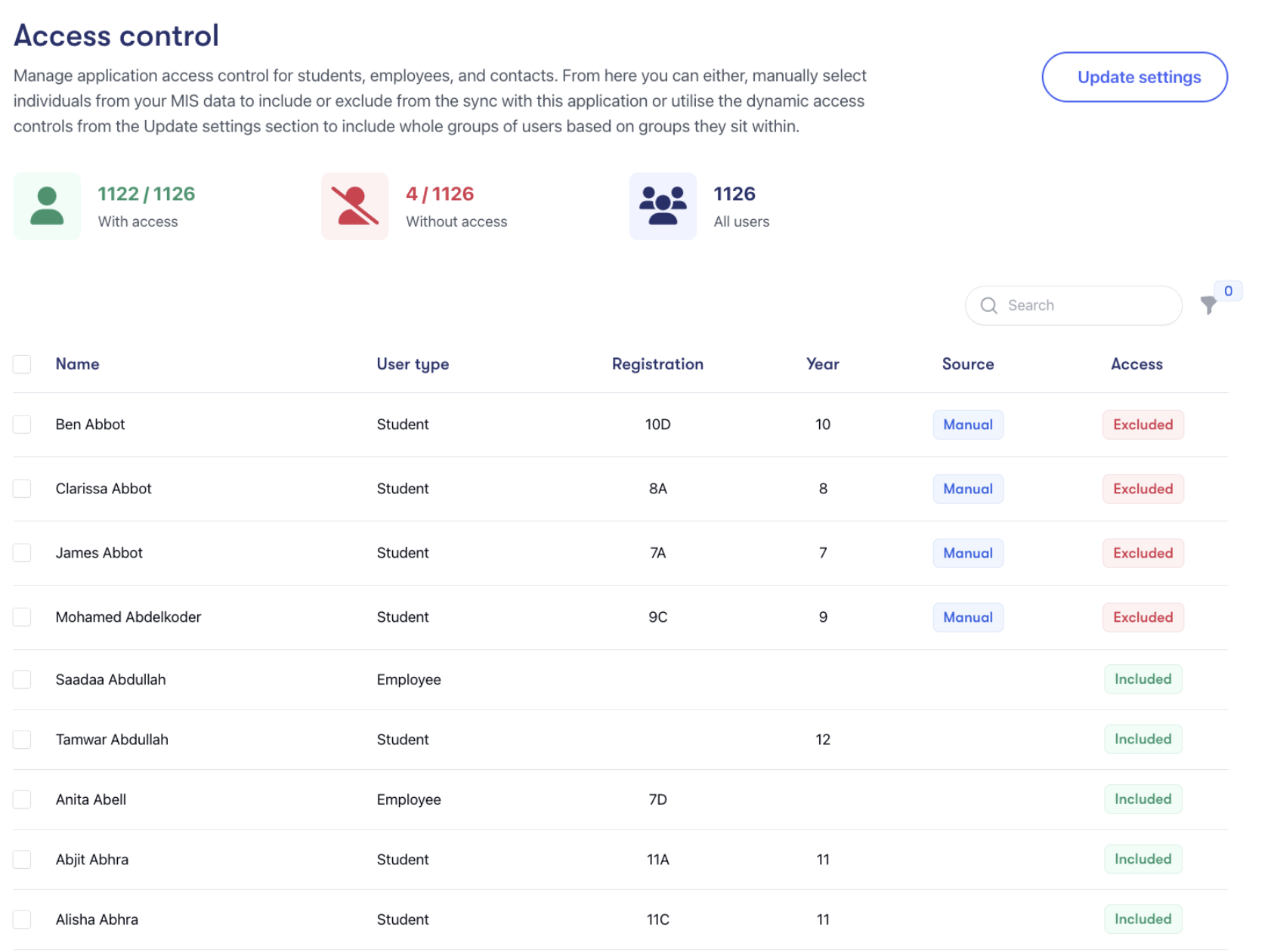
If you have any questions or problems with any of these steps, please contact Wonde's technical support team on 01638 438 094 or you can email at support@wonde.com.