![MT White Logo _ PNG-01.png]](https://help.medicaltracker.co.uk/hs-fs/hubfs/MT%20White%20Logo%20_%20PNG-01.png?height=31&name=MT%20White%20Logo%20_%20PNG-01.png)
How to add a staff member
To add a new staff member go to Medical Tracker > Staff > Add staff member
1. Click on the Add staff member button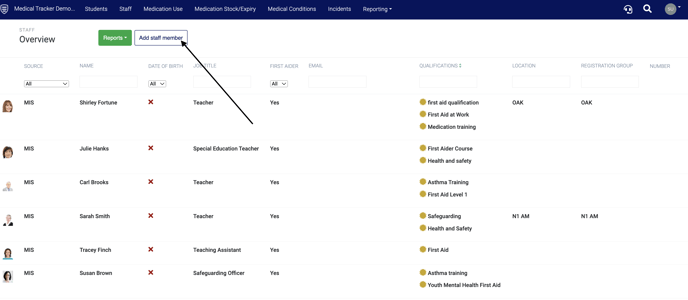
2. In the Add staff member details box add all the new staff member's information
Important: Please ensure an email address for the staff member is added if you would like the staff member to receive automated email alerts.
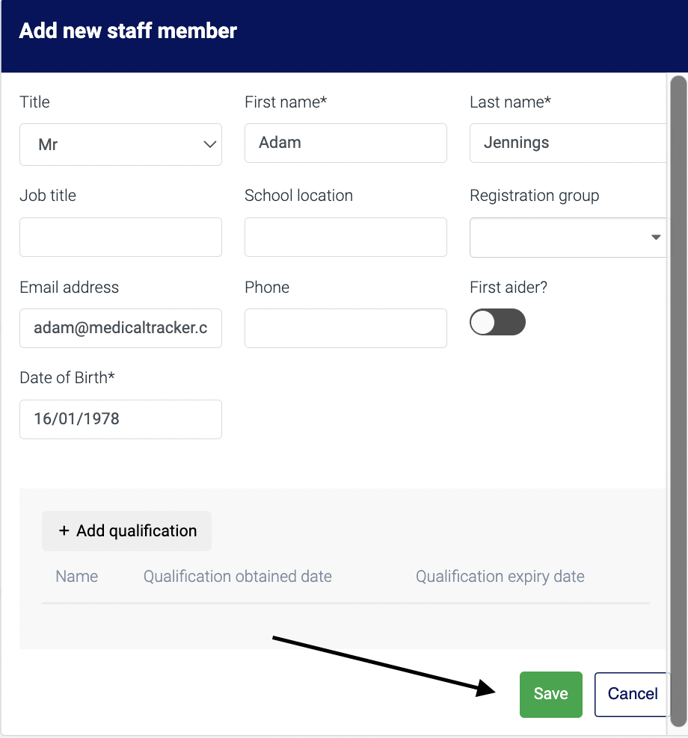
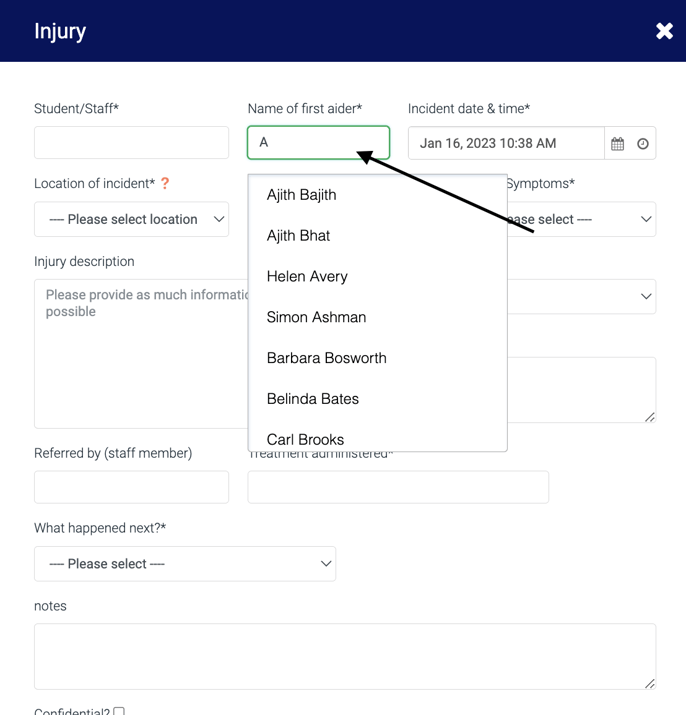
- Click Save and the staff member will now appear in the first aider drop-down throughout Medical Tracker:
If you have any feedback or questions, please reach out to our team by using our contact form. We're available 8.30am to 5pm Monday to Friday and happy to help!