![MT White Logo _ PNG-01.png]](https://help.medicaltracker.co.uk/hs-fs/hubfs/MT%20White%20Logo%20_%20PNG-01.png?height=31&name=MT%20White%20Logo%20_%20PNG-01.png)
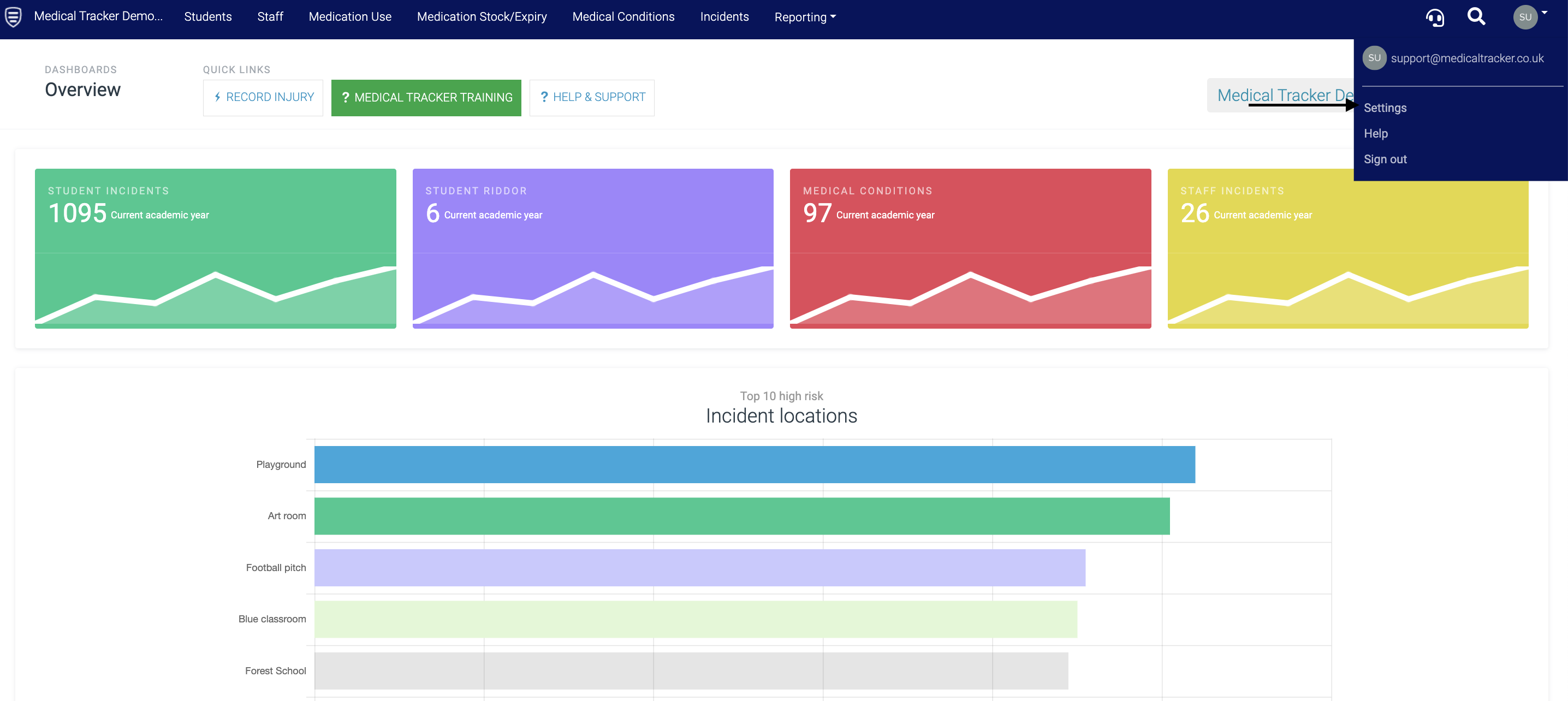
- Go to the Settings area.
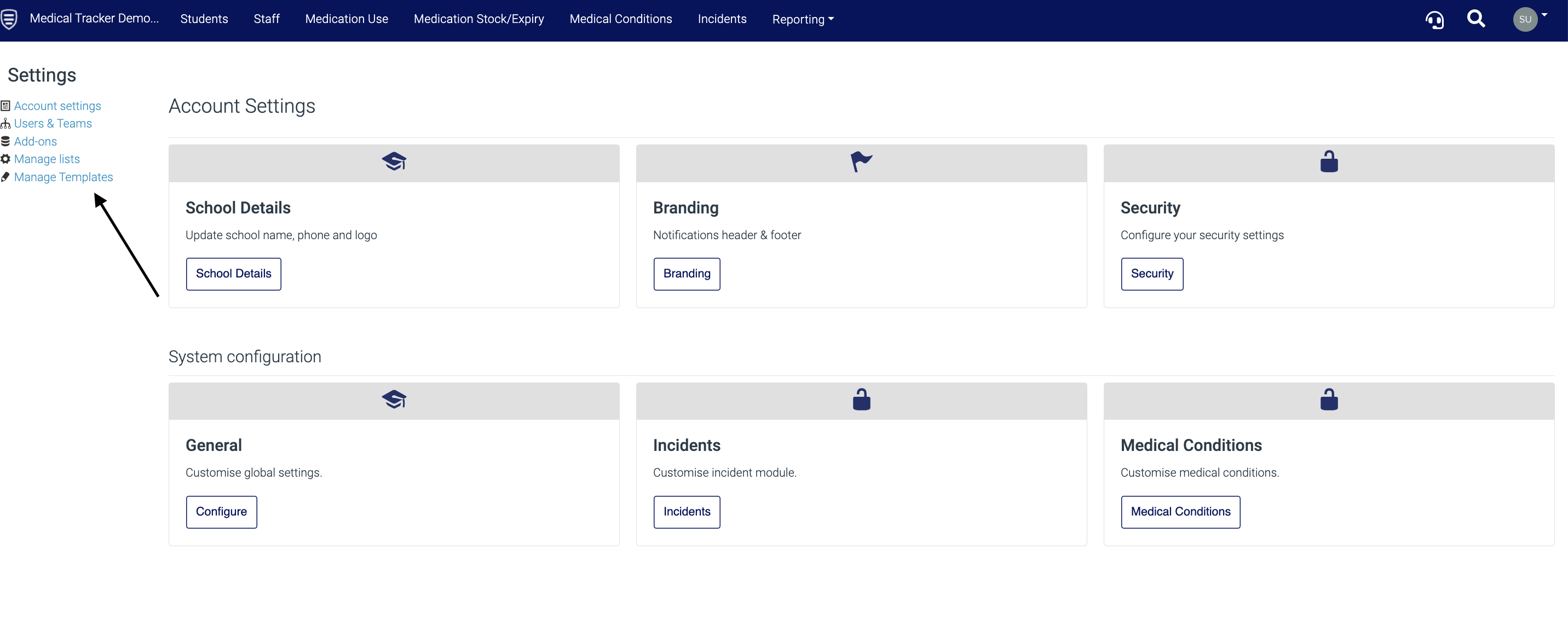
- Select Manage Templates from the right-hand side.
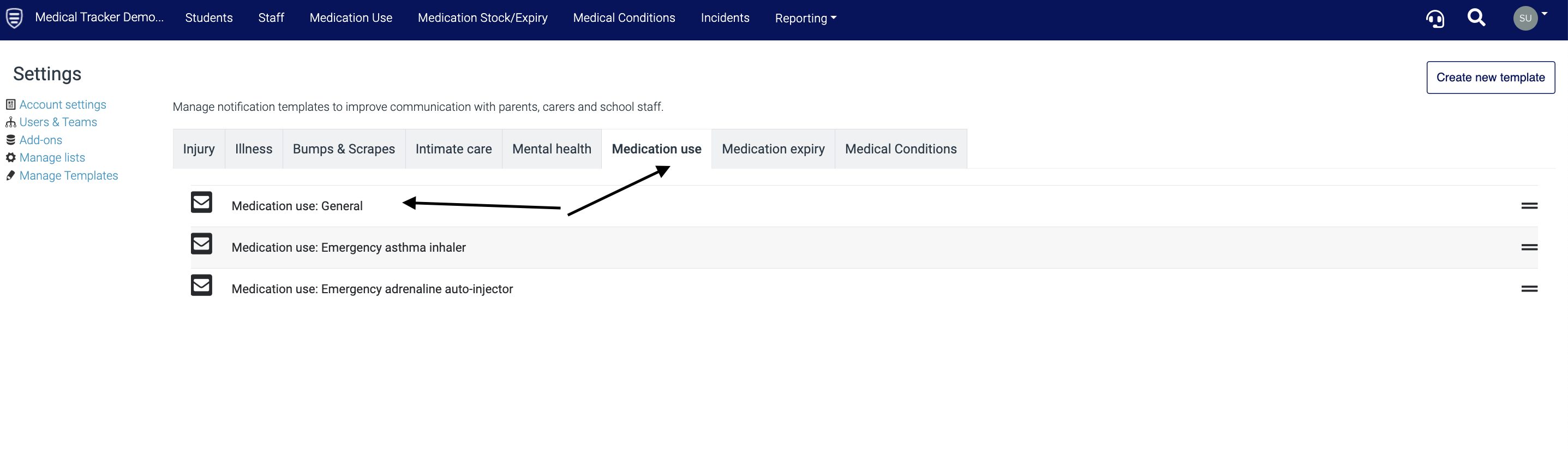
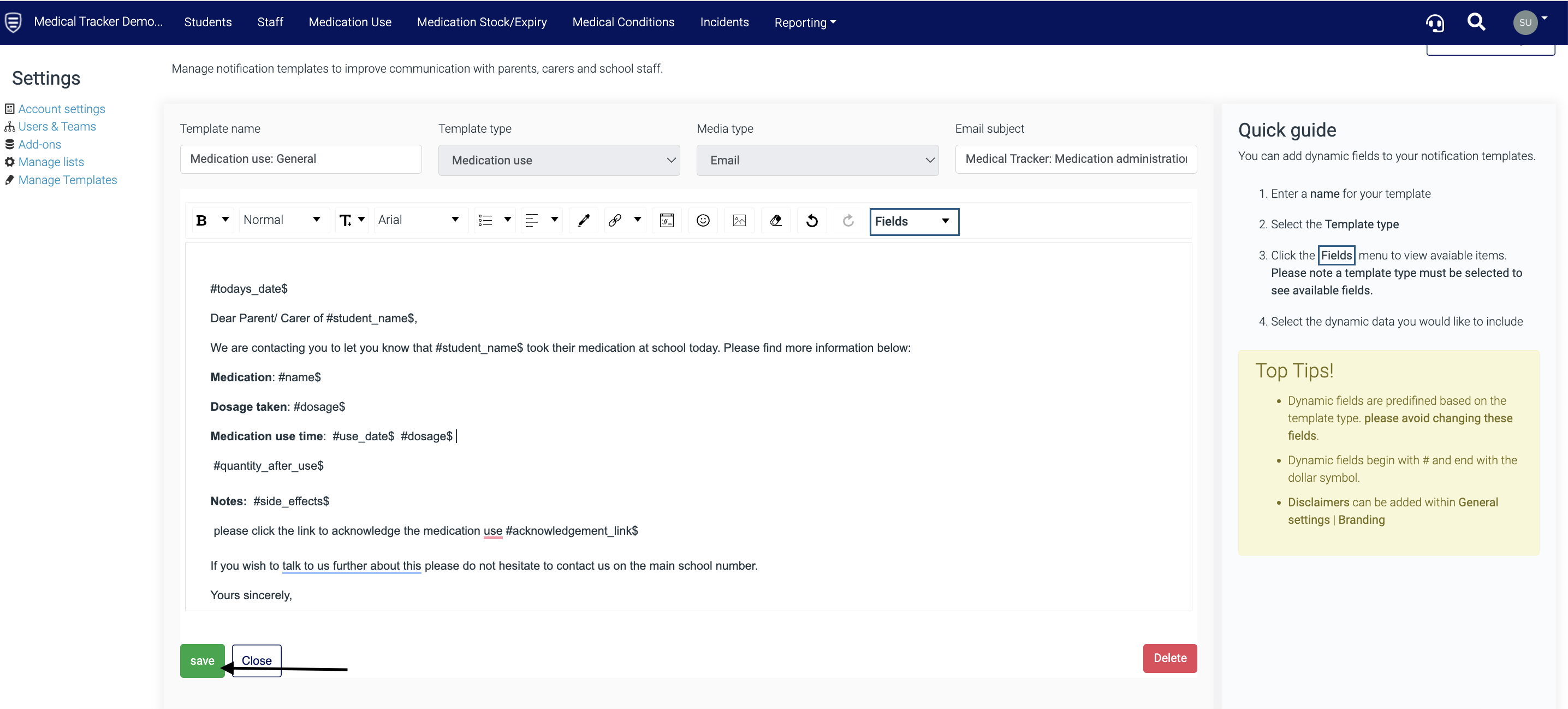
- Select the template type from the options - Medication use has been selected below. Now, click the template you would like to amend.
- Amend the template using your own text and the dynamic data from the 'Fields' drop-down
Important: Only dynamic fields within the template that you are creating should be used, never copy and paste fields from another template as this can cause errors when sending notifications.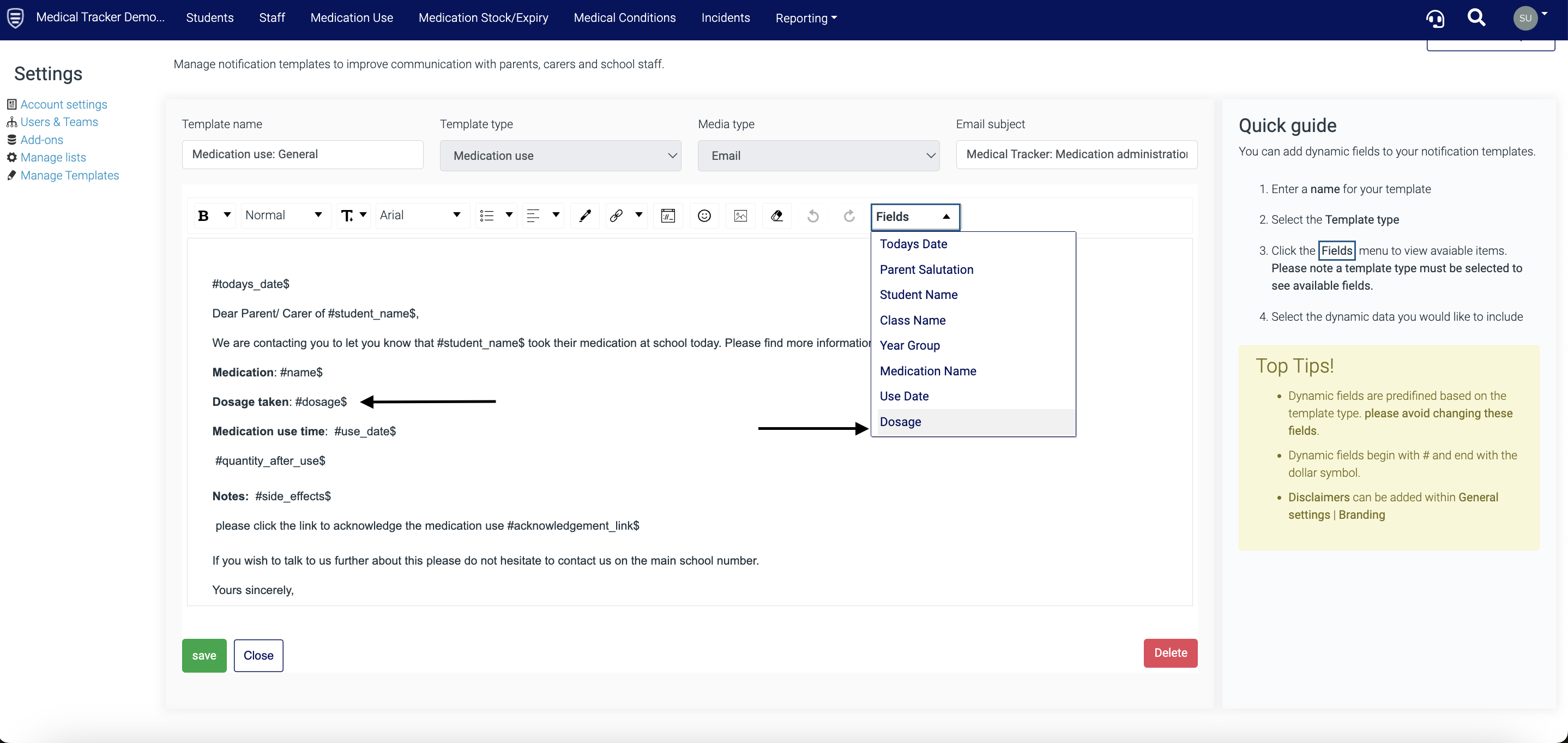
- Click Save.
Click here to troubleshoot if you are seeing a blank screen when sending notifications.