![MT White Logo _ PNG-01.png]](https://help.medicaltracker.co.uk/hs-fs/hubfs/MT%20White%20Logo%20_%20PNG-01.png?height=31&name=MT%20White%20Logo%20_%20PNG-01.png)
How do I delete a team?
Step 1. Go to the Settings area: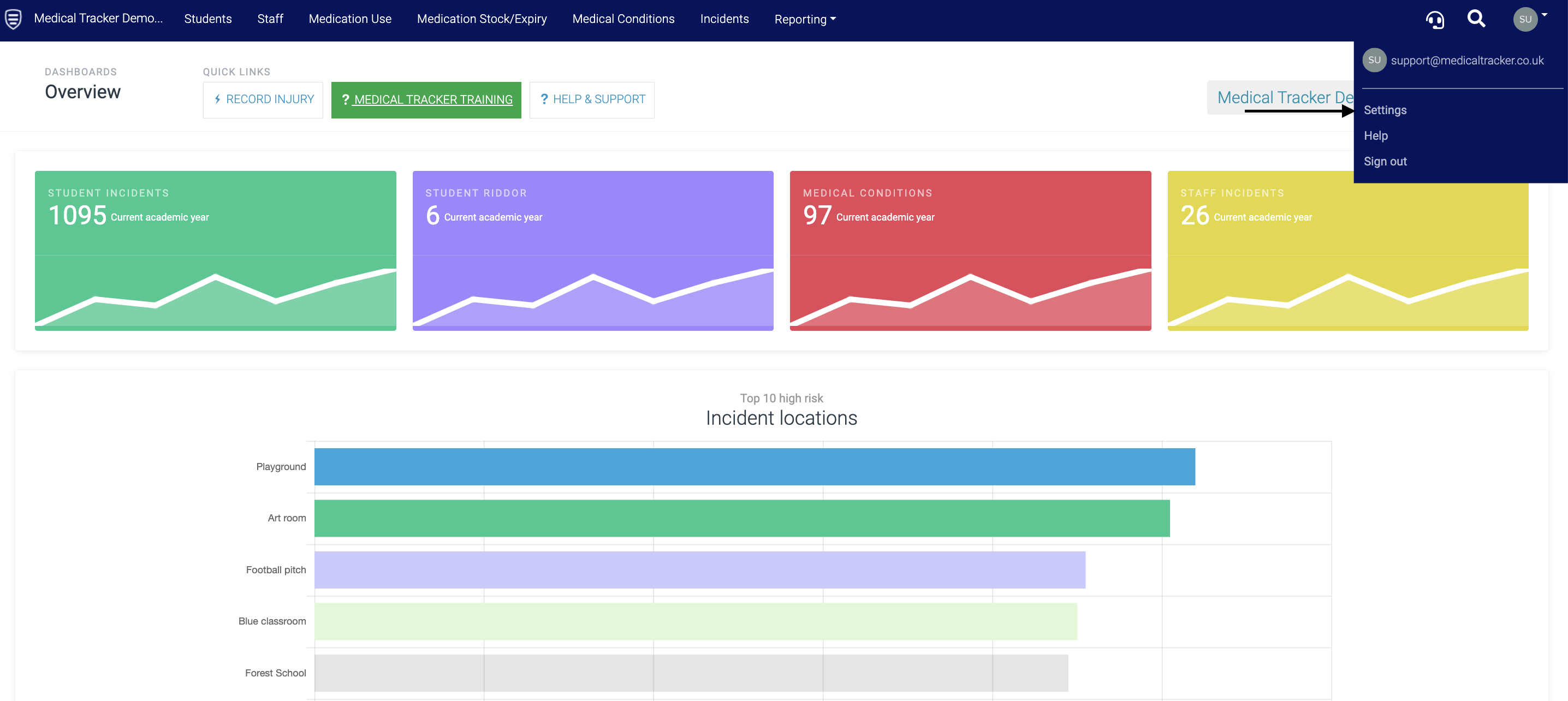
Step 2. Click on 'Users & Teams' 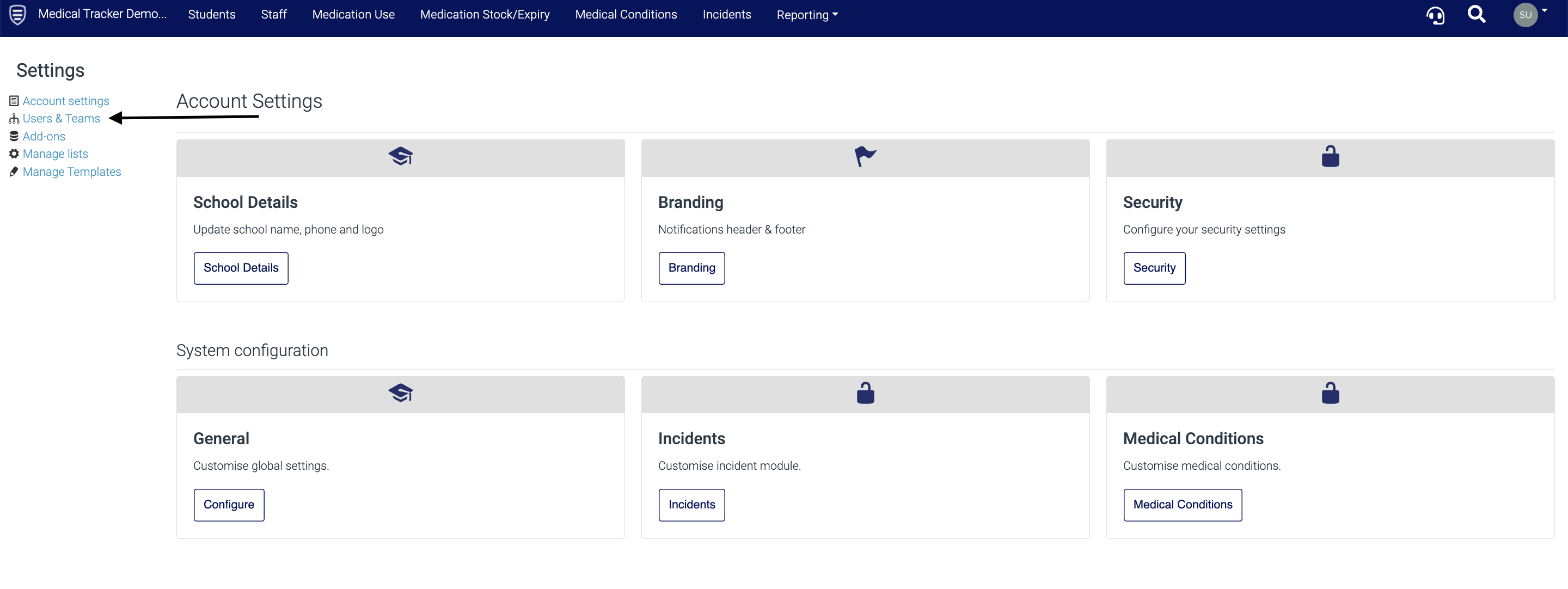
Step 3. Click on the grey-out box 'All Users' and select the team you want to delete from the drop-down
Step 4. Once you have selected the team to delete, click on the 'Team actions' button and select 'Delete team' from the drop-down.
Once a team is deleted, it cannot be restored. 
Click here for guidance on how to create a team, edit & set team permissions.