![MT White Logo _ PNG-01.png]](https://help.medicaltracker.co.uk/hs-fs/hubfs/MT%20White%20Logo%20_%20PNG-01.png?height=31&name=MT%20White%20Logo%20_%20PNG-01.png)
How do I delete a staff member's profile?
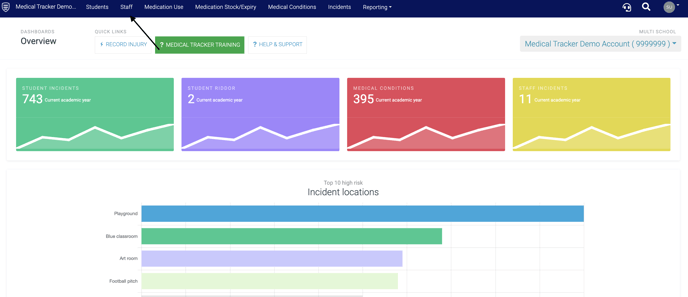
- Navigate to the staff module by clicking on the 'Staff' tab
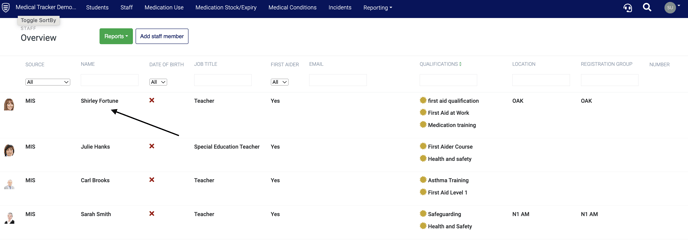
- Within the staff overview, click on the staff member you want to delete.
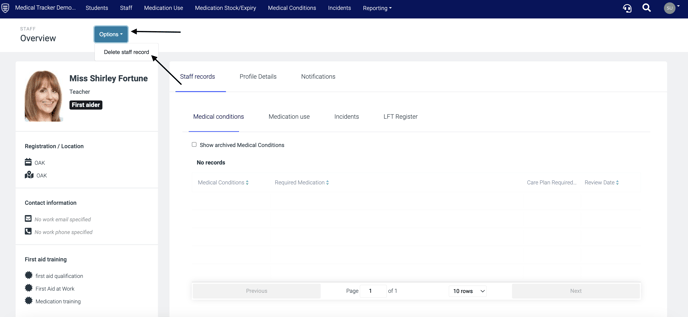
- Click Options and select Delete staff record
Note: If a staff member has a Medical Tracker account you must also revoke their access. Click here to find how to remove a user.