![MT White Logo _ PNG-01.png]](https://help.medicaltracker.co.uk/hs-fs/hubfs/MT%20White%20Logo%20_%20PNG-01.png?height=31&name=MT%20White%20Logo%20_%20PNG-01.png)
To find security go to Medical Tracker > Settings > Security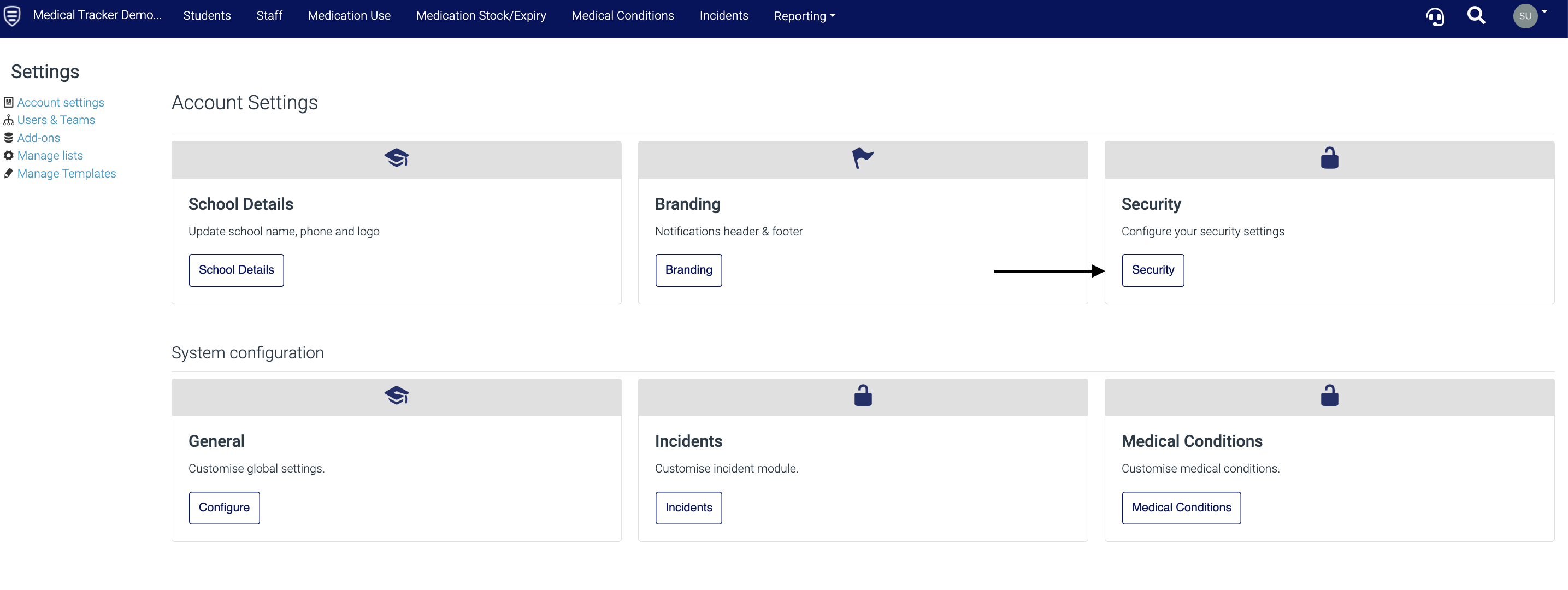
Here, there are three security options.
There is a button next to each one - black is off, green is on. If any changes are made, click 'Save' next to the button.
First aider drop-down restriction:
Disable a logged-in user from being able to select another staff member as the first aider when recording an incident.
Idle user:
Enable the utility for logging off idle user sessions. This allows the system to log out users after a period of 20 minutes of inactivity.
One-time link:
Enable the one-time link option - this allows your organisation to send a one-time link notification to your staff, so they can view details of an incident for a limited time (10 minutes) without having to log in to their account.
Tip: the Idle User setting is useful if staff members use Medical Tracker on shared devices around the school.
To view our guide on the other account settings, click here.