![MT White Logo _ PNG-01.png]](https://help.medicaltracker.co.uk/hs-fs/hubfs/MT%20White%20Logo%20_%20PNG-01.png?height=31&name=MT%20White%20Logo%20_%20PNG-01.png)
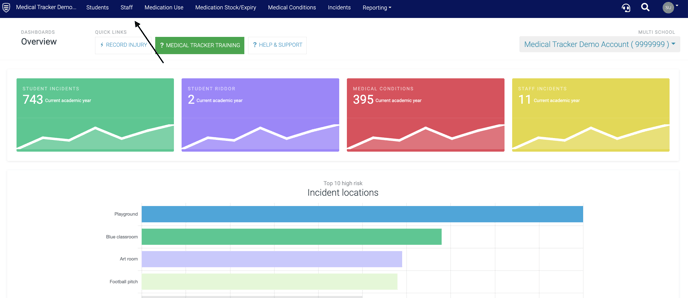
- Select the Staff module
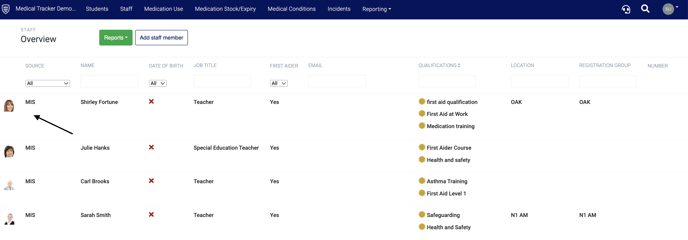
- Click on the member of staff you would like to set notifications for.
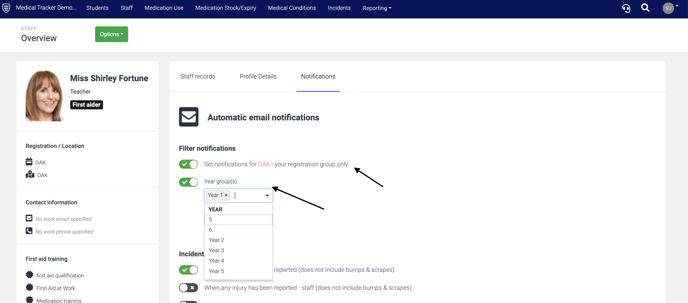
- Once you are in the staff member's profile click Notifications.
- Filter notifications to ensure the staff member is set up to only receive notifications for children they are concerned with.
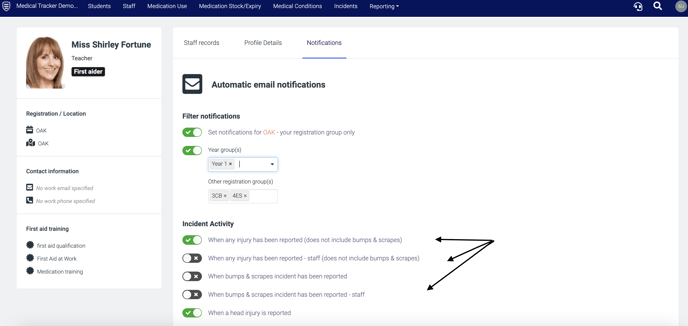
- Go through all of the notification types choosing which of the notifications are relevant to the staff member. Once toggled on (green), these are saved.
Top tip: If you are setting up automated alerts we suggest turning on the 'One time link', click here for further information on this feature.
See the below video on setting staff notifications