![MT White Logo _ PNG-01.png]](https://help.medicaltracker.co.uk/hs-fs/hubfs/MT%20White%20Logo%20_%20PNG-01.png?height=31&name=MT%20White%20Logo%20_%20PNG-01.png)
How do I edit a staff member's job title?
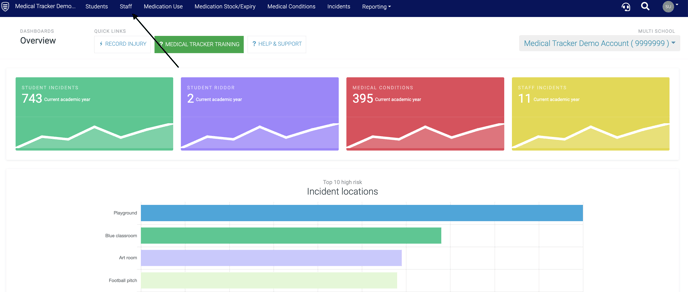
- Go to the staff module by clicking on the 'Staff' tab
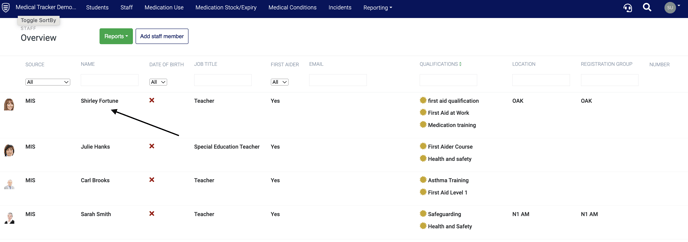
- Click on the staff member whose job title you need to change
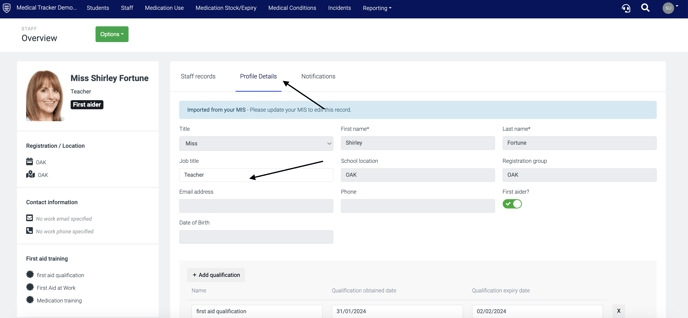
- Click on Profile details and change the member of staff's role within the Job title field. Then click the Save button.
To set staff as first aiders, click here.
To set up automatic staff notifications, click here.